01
Buyer timing
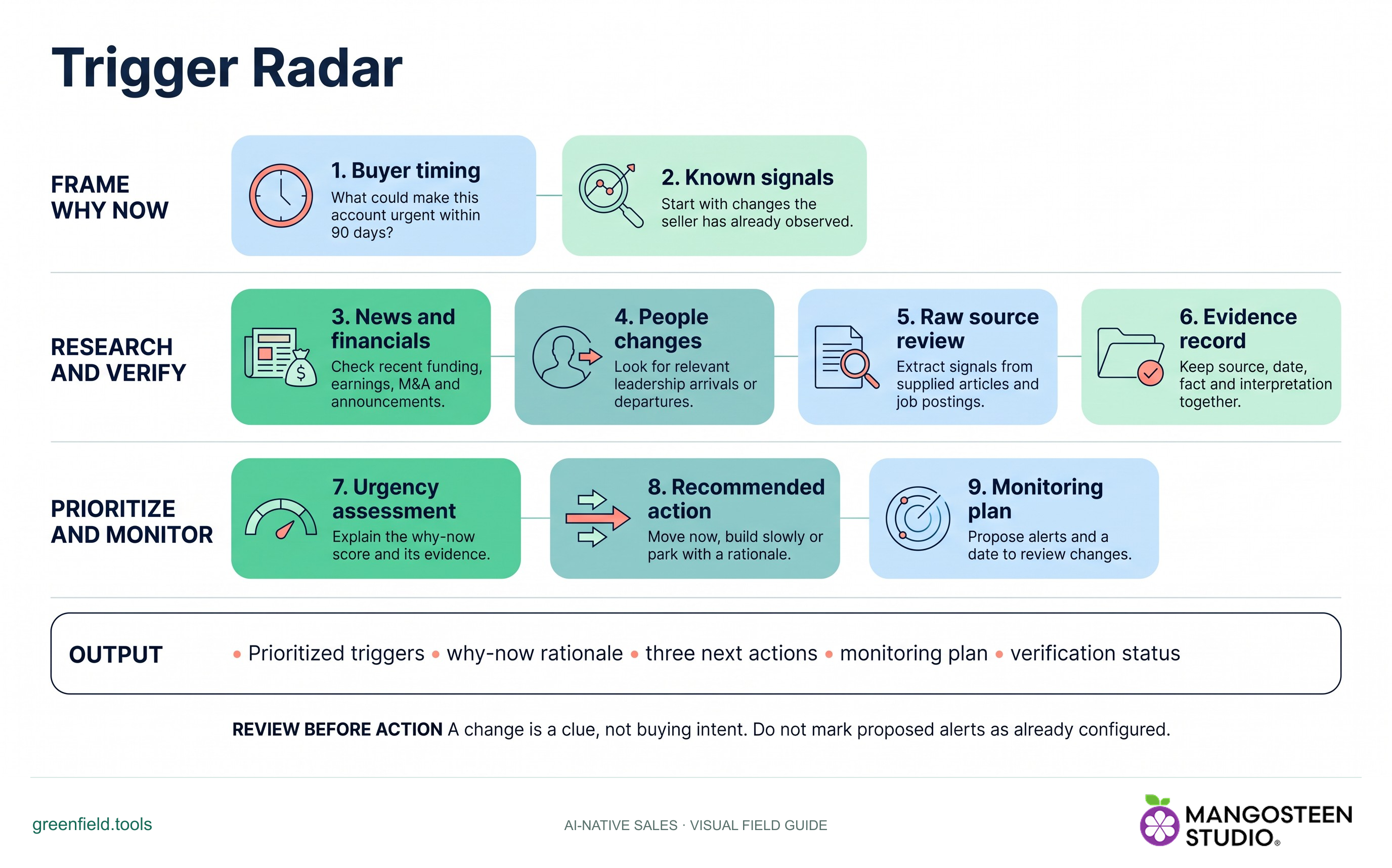
What could make this account urgent within 90 days?
Review account signals, their sources and their implications before deciding whether to act, build slowly or park.
Free skill instructions and resources. Your AI tools may have their own costs.
Explore the whole process, or take it one step at a time.
What could make this account urgent within 90 days?
Start with changes the seller has already observed.
Check recent funding, earnings, M&A and announcements.
Look for relevant leadership arrivals or departures.
Extract signals from supplied articles and job postings.
Keep source, date, fact and interpretation together.
Explain the why-now score and its evidence.
Move now, build slowly or park with a rationale.
Propose alerts and a date to review changes.
Output: Prioritized triggers • why-now rationale • three next actions • monitoring plan • verification status.
A change is a clue, not buying intent. Do not mark proposed alerts as already configured.
What could make this account urgent within 90 days?
Extract signals from supplied articles and job postings.
Propose alerts and a date to review changes.
greenfield/skills/trigger-radar/SKILL.md. For chat-based planning, copy the instructions and provide your context.Use Trigger Radar for my account. Use the context I provide and identify important gaps.Markdown includes the reference guides. The ZIP also preserves scripts, templates and example inputs where the skill uses them.
For Account Tiering, share your product, assigned account list, selling priorities and available time. For account research or review, share the target account, what you sell and any existing evidence or brief.
No automatic outreach or CRM changes follow the recommendation. Review the evidence and authorize any external action separately.