01
Ground the story
Supply a product URL or evidence, the buyer role and one situation the product changes. Label assumptions and distinguish concepts from real product captures.
Create an interactive sales demo around a recognizable person doing recognizable work. Follow one situation from the triggering event through a product-enabled action and a meaningful handoff.
Free instructions and resources. Your AI tools and any paid video services are separate.
Explore the whole process, or take it one step at a time.
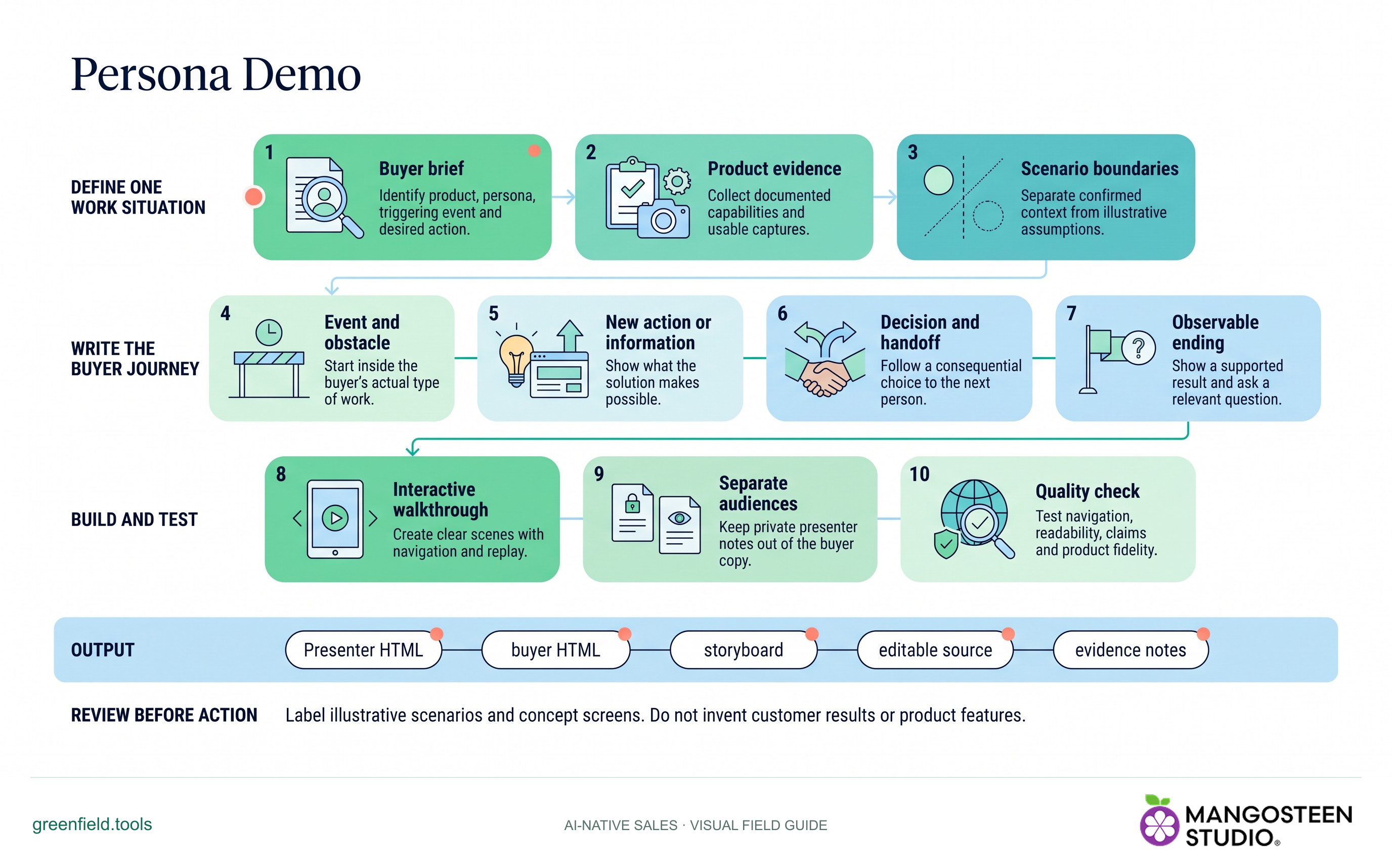
Identify product, persona, triggering event and desired action.
Collect documented capabilities and usable captures.
Separate confirmed context from illustrative assumptions.
Start inside the buyer’s actual type of work.
Show what the solution makes possible.
Follow a consequential choice to the next person.
Show a supported result and ask a relevant question.
Create clear scenes with navigation and replay.
Keep private presenter notes out of the buyer copy.
Test navigation, readability, claims and product fidelity.
Output: Presenter HTML • buyer HTML • storyboard • editable source • evidence notes.
Label illustrative scenarios and concept screens. Do not invent customer results or product features.
Supply a product URL or evidence, the buyer role and one situation the product changes. Label assumptions and distinguish concepts from real product captures.
Create chapters with purposeful animation, navigation, optional timed play and reduced-motion support. Keep the product action tied to verified capability.
Check the opening, product scenes, ending and controls. Keep presenter notes out of the separate buyer HTML, including its embedded data.
SKILL.md. For chat-based planning, copy the instructions and provide your context.Use Persona Demo for [product] and [buyer role]. Show how they handle [one situation].Markdown includes the reference guides. The ZIP also preserves scripts, templates and example inputs where the skill uses them.
A file-capable assistant with Python is the simplest route. Download the ZIP for the builder, player template, references and example brief. Web chat can help write the scenario, but needs file execution to build and check the HTML.
Only the reviewed send.html file. The presenter copy and authoring storyboard may contain private notes. The skill does not send or host the result automatically.
No. The included HTML builder uses Python’s standard library. Your AI assistant may have its own costs. For an actual prospecting video, use Cold Video.